Zoop Calendar Features Overview
ZoopCalendar is the most advanced, modern, automated, and amazing free calendar in the known universe.
Blindingly fast event listings
Flyer Scanner:Snap a pic of a flyer on your phone and upload it. ZoopCalendar reads the flyer and instantly creates the listing. Already filled out a form somewhere else? No problem. Take a screenshot and Zoop will transcribe it for you.
The same lightinig fast form is offered to your site visitors when they submit. This super-easy event form increases event submission rates to public calendars!
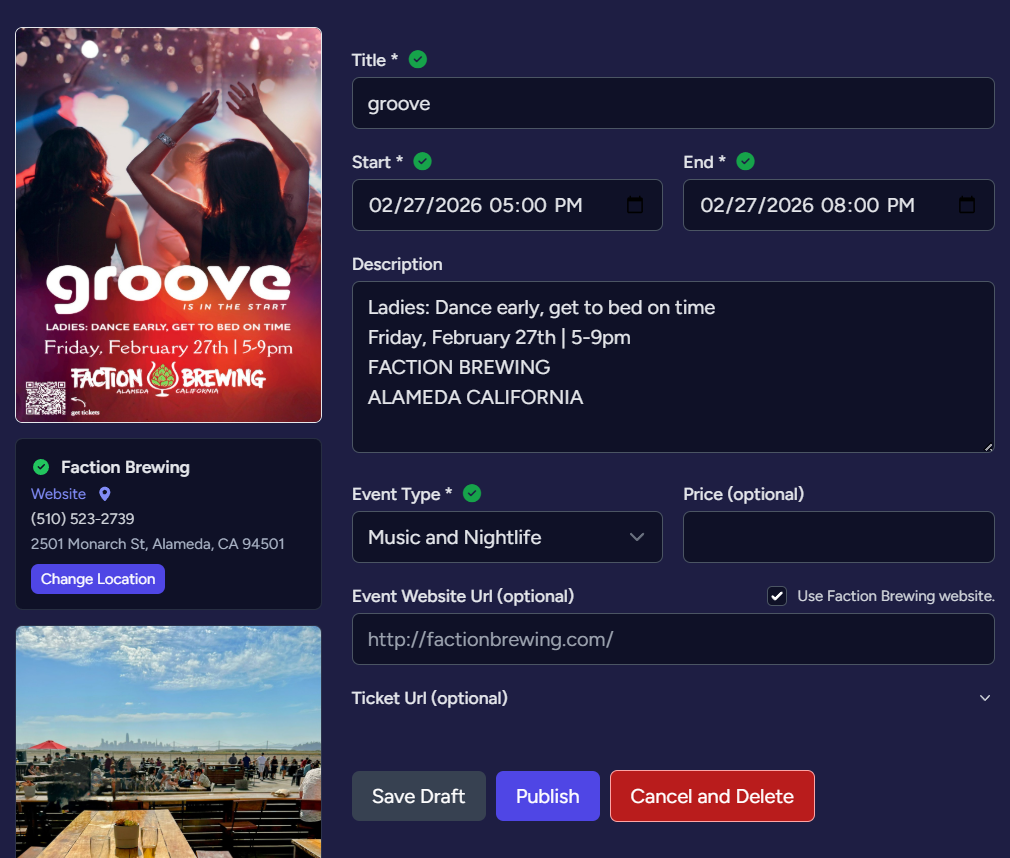 One Page Event Form:
Don't have a flyer yet? Our lightning-fast event form lets you enter the name of the venue and fills in all the address details. No more three-page event forms!
Socials media promotion for all your events
All upgraded plan events are pushed out on the massive PlanetZoop network, like ZoopEvents on Instagram and Zoop Facebook. As well as the PlanetZoop Event Discovery Network
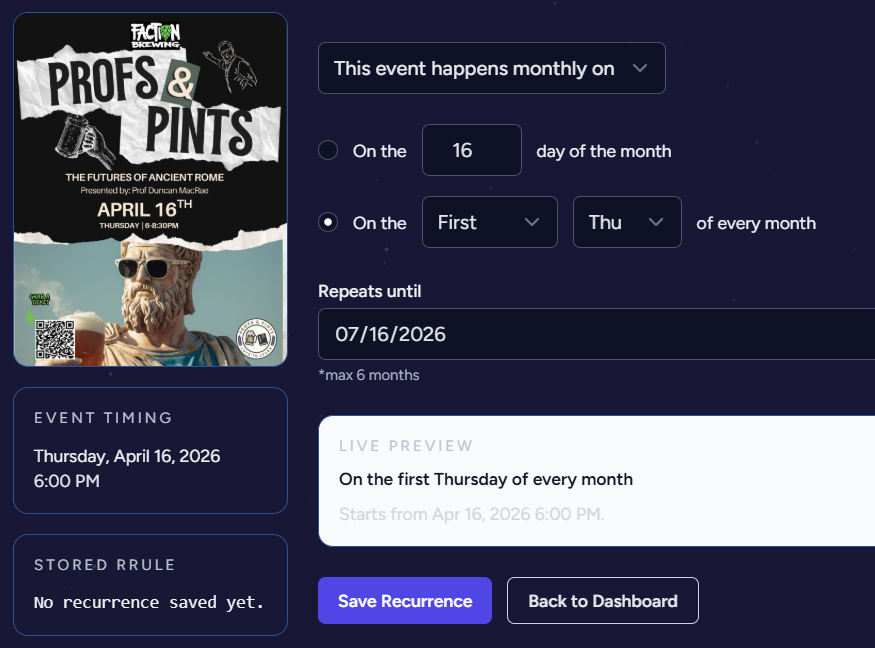
Easy Repeazy
Set events to repeat with a few clicks. Every second Thursday? No problem. Taco Tuesday? No problem!
One click Promotion
Got a priority event? Pin it so it always shows up first. Run an online newspaper or popular site? Charge people to feature them and you keep all the revenue! We do revenue share with all our partners, so if you allow people to submit events and they purchase a boost, you get a percentage.*
Want more?
- Submission control: Turn community submissions on/off and keep approval control before anything goes live.
- Featured events: Pin important events for better visibility in your widget feed.
- SEO-friendly event feed: Add consistently updated event content to your site to improve freshness and long-tail discovery.
- Dashboard management: Review event status, edit listings, and manage publishing flow from one place.
- Traffic analytics: Track calendar impressions and event page views to measure what performs best.
- Widget display options: Choose many layouts and options.
*We are still building the revenue share and a lot of other things, but this is on the roadmap.
Automatic Event Feeds
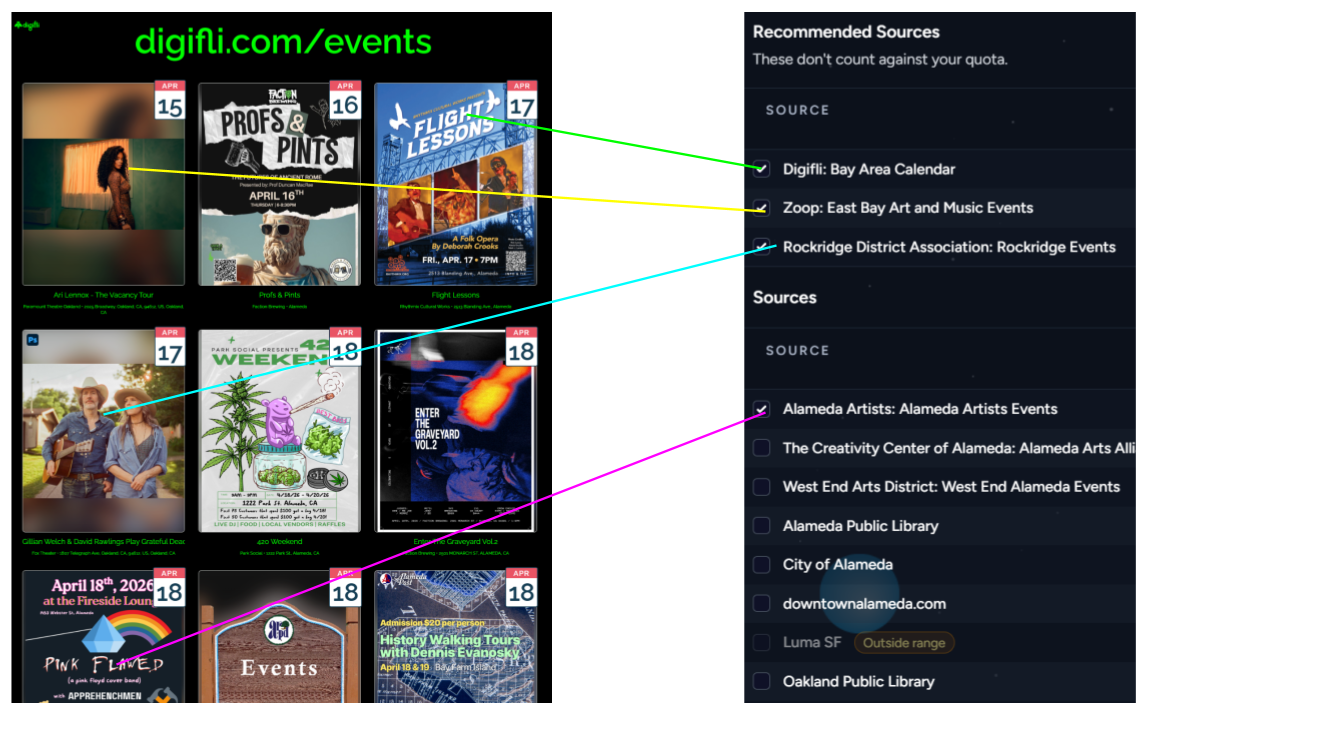
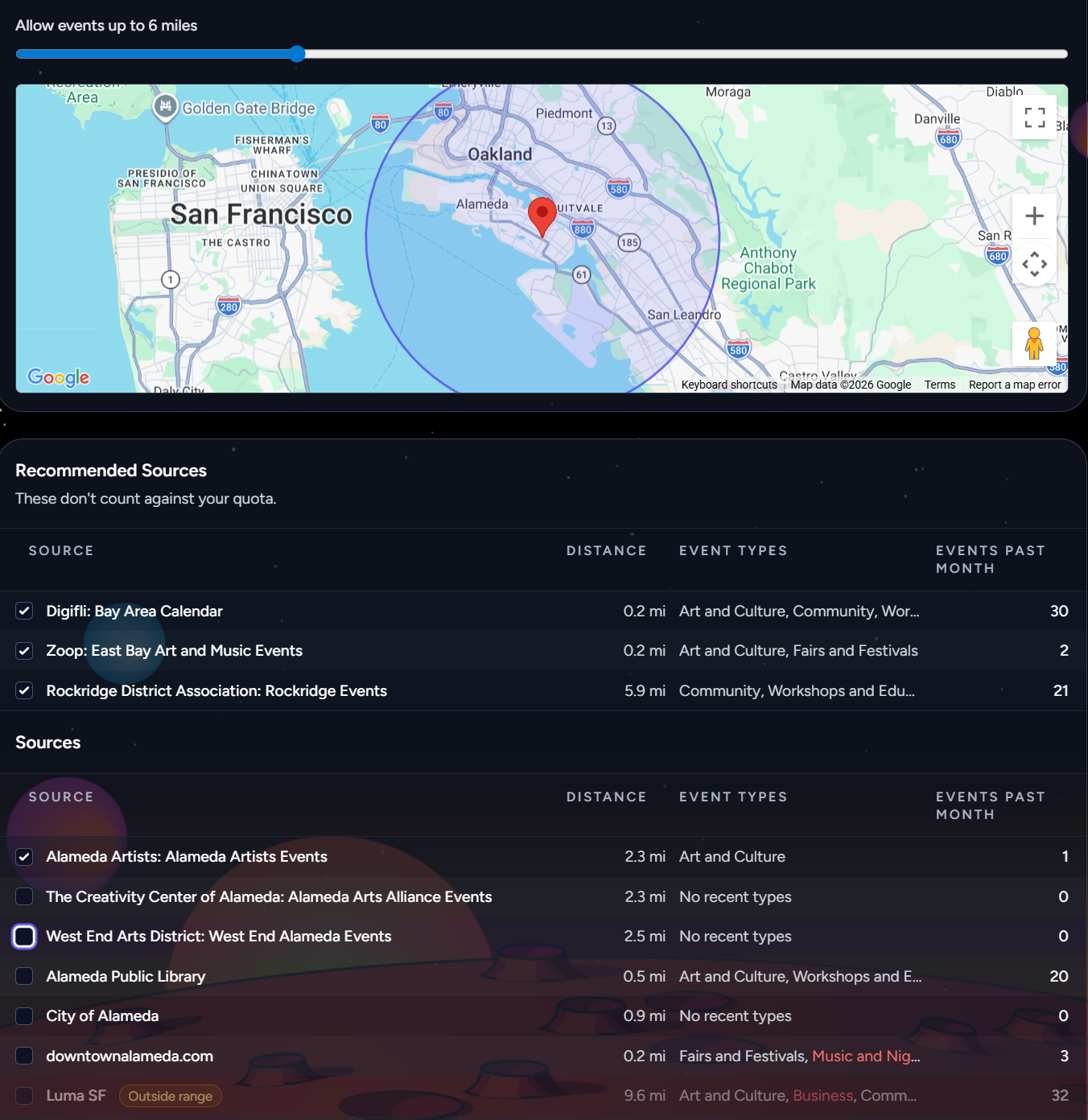
Want to fill out your calendar with constant fresh content? Pick from popular event calendars like Ticketmaster, the Public Library, or a favorite local venue. Filter by distance and category to match your audience. Runs on autopilot. Don't want to show other events? Set it to private and only show your events!
SEO Optimized
All events are created using the strict universal schema standards for structured event data as recommended by Google and other major search engines. This ensures your event can get picked up everywhere. Learn more about structured data for events.
One line of code
Easy install: just "copy and paste" your ZoopCalendar code into any web page (Squarespace, Wix, WordPress). Choose from multiple formats, all 100% stylable. People can subscribe to your calendar and even put your calendar on their website! All done automatically. Want a little teaser for your home page? Just a few clicks away.
Event Features
- Smart Scan: Upload a flyer and Zoop extracts title, date, venue, and core event fields automatically.
- Location Lock: Venue locations are validated and normalized to reduce bad addresses and mismatched places.
- Zoop Dedupe: Duplicate event detection helps prevent repeated listings and cluttered feeds.
- PlanetZoop distribution: Approved events can be surfaced on PlanetZoop and related social channels.
- Scheduled social publishing: Configure automated Facebook and Instagram posting windows from your dashboard.
- Post templates: Define reusable post headlines with placeholders for event title, date, and venue.
- Review and editing workflow: Preview scheduled posts, adjust posting date, and edit pre-publish copy.
- Publishing traceability: Store publish status, returned platform IDs, and post links for auditing and insights.
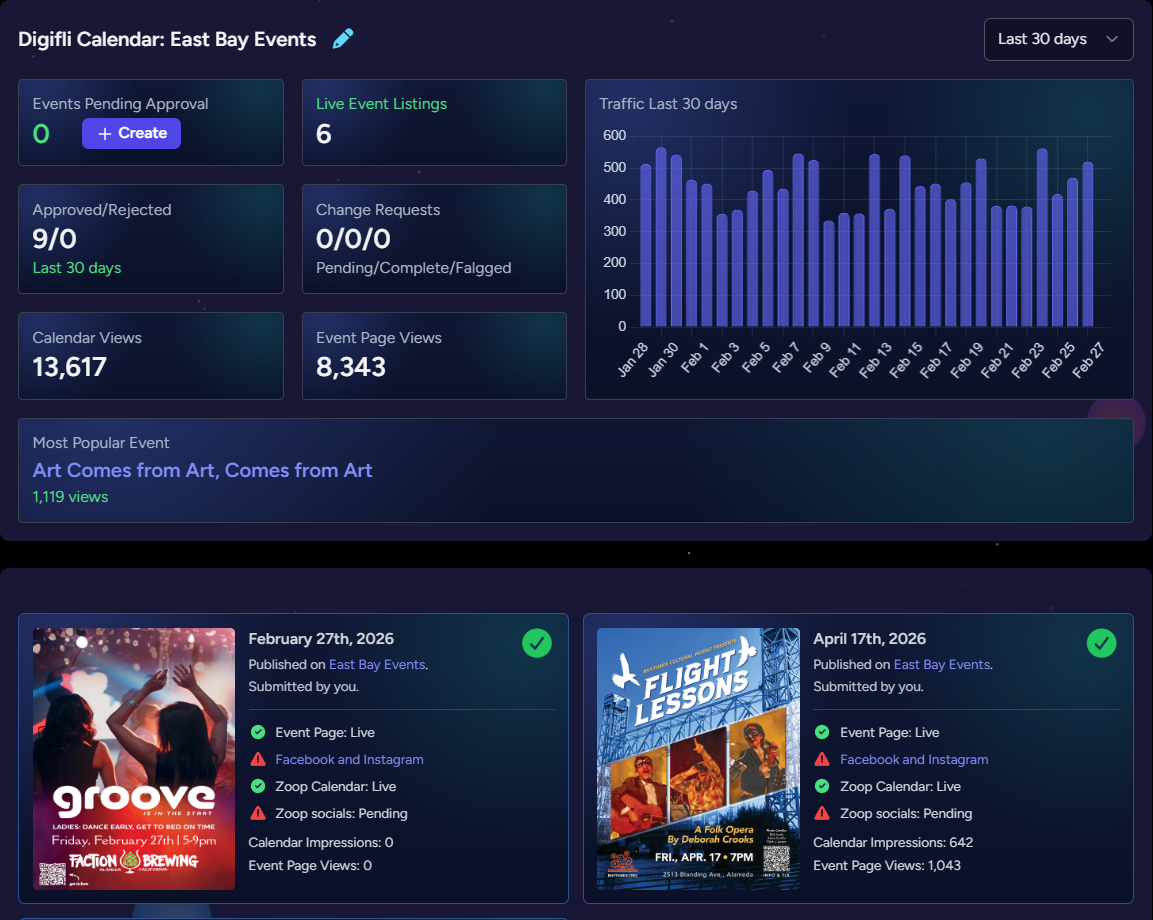
Calendar Dashboard
Calendar status at a glance. Track all your live events and change request.
Calendar Settings (Create/Edit Calendar Form)
Use these settings to control what your website calendar shows, how it behaves, and how much local discovery content gets included.
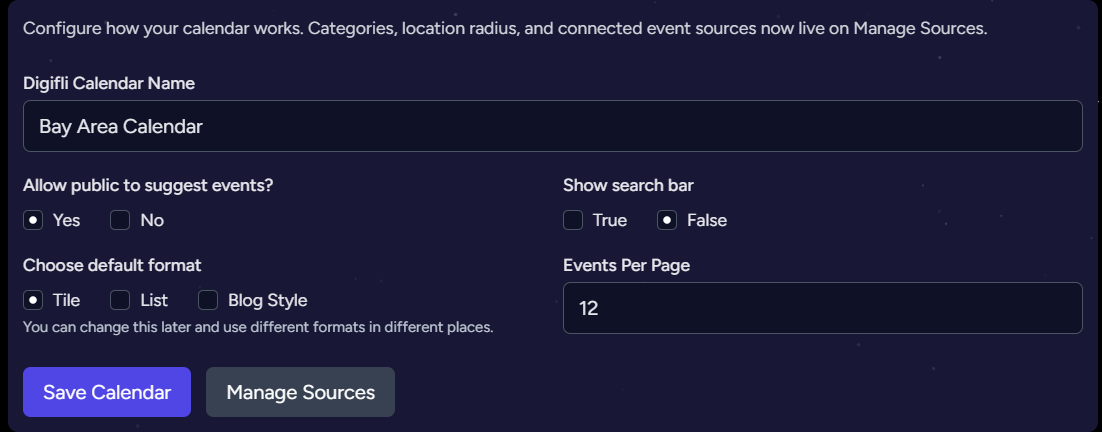
These settings control how your calendar appears on your website. You can override most default settings in the widget code.
Public Event Page Sections
These are the major sections visitors see when viewing an event listing.